
Device Link Color Management of an Offset Press
Device Link Color Management of an Offset Press
Overview
The process for color managing an offset press has always been to simply print the separations that are contained in the SWOP, FOGRA or GRACOL separated print file. The press was then calibrated to print as close to that same SWOP, FOGRA, or GRACOL standard. Parameters such as paper white, solid ink density, and dot gain were measured and corrected by adjusting press settings and using a set of 4 color correction curves to achieve the desired dot gain and solid ink density. Some processes such as the G7 process measure LAB values of the printed charts to calculate how to manipulate the 4 color correction curves to achieve a balanced built gray in the neutral colors. This tends to give a good print and is maintained by updating curves and maintaining press condition.One drawback to this approach include having a press that prints only one standard (using different curves you can print other standards but you sometimes have to alter press settings as well.) You are also restricted to only having 4 correction curves. So your yellow curve for example will have the same dot gain regardless of how many other inks are printing in the same area with it. So your 50% yellow is forced to have the same dot in the 0 0 50 0 patch as it is in the 50 50 50 50 patch. Which is not always the desire if the inks and papers are not EXACTLY correct for your printing standard. This is basically giving you a more 2 dimensional map of color rather than the 3 dimensional map that ICC profiling provides. Applying GCR to a print job in conventional color management means you have to preprocess the print file using an ICC profile to do the GCR. Then send it to the press. If you want to use different GCR builds for different printing devices you have to know up front which device to prepare the print file for.
At Carlisle Printing, we see the value in the maintaining a press to print a given standard, or at least being close to a standard. Having a press that prints close to a standard is a major plus when using ICC profiles to correct color because the ICC is then really only fixing minor issues and finessing the final print to be correct. With using ICC profile on offset presses we run into having a desire for some special cases or exceptions. For example keeping black type K only and not building it 4 color. With device link profiling this is possible, but there is always a transition from the exception into the non-exception areas of the profile. These transitions are minimized when the press is naturally tuned to print close to a standard. So the closer you can get, the better.
What ICC profiling offers us, is the ability to quickly get the press to a near perfect print condition without having to keep making plates to test curves. It also succeeds in matching better in all areas of the print, shadows and highlights. The process of updating an ICC profile allows us to use processes such as smoothing, GCR, and averaging of many print samples together very quickly to make a profile.
We follow steps to linearize plates, then linearize the press, and find a repeatable press printing condition that is close to our target standards. Then print a test chart that can be measured to make an ICC profile for the press. That profile is used to make a device link ICC from our print standard profile to the press output profile. This is then plugged in to our Prinergy output to process the files on output. We don't like processing files before because we archive the file without color management applied so we can simply recall it to print again later on any press or even with a different print standard.
THE PROCESS
THIS IS STILL NOT COMPLETELY DOCUMENTED IN TEXT, but the images should be accurate and give almost all the information needed to repeat the process.CoPra 2 is the profile creation software we were using. It is on the 'Color Server' virtual machine at IP 172.16.0.39 (haven't moved this yet due to licensing issues, we might need an updated dongle) username is Carlisle
Make ICC profile using the chart data that you got by measuring the linear press charts. This data XML file should contain LAB values, if not you need to re-save the data from color toolbox or somehow get the LAB values added.
Use the Carlisle Offset (MoreGCRforRicherBlacks) WITH 'Pure Gray' checked. This will be used to plug in directly to the output 'Device Condition' section in the Prinergy final output process template. This is needed to prevent 4 color built text and images.
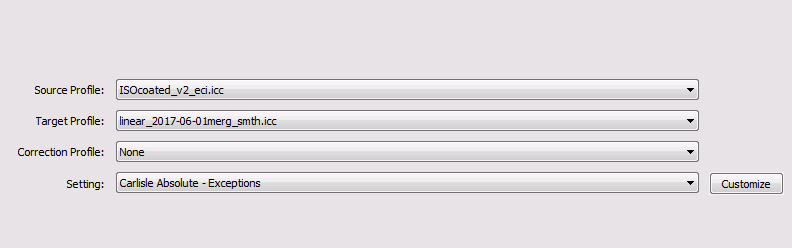
Then use 'ISOcoated_v2_eci.icc' and ICC profile you just made in the previous step to create a device link profile using the 'Carlisle Absolute - Exceptions' output. Source Profile is ISOcoated and the Target Profile is the ICC profile from above. Use no correction profile.
This will create a device link profile that should be plugged into the Input Device Conditions in Prinergy final output process template.
Output Condition Profile
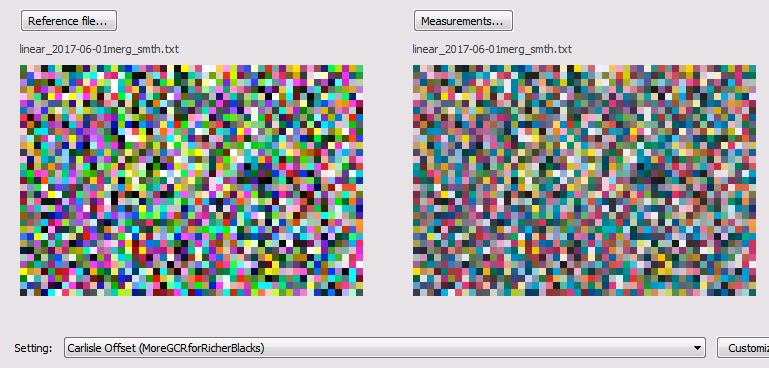
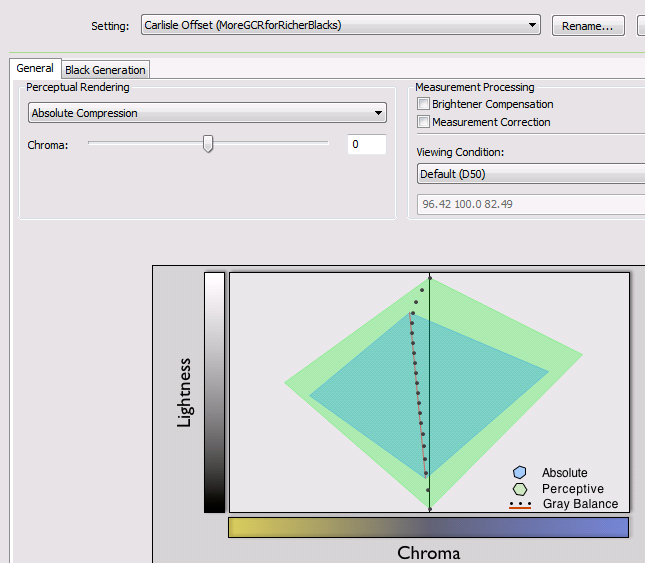
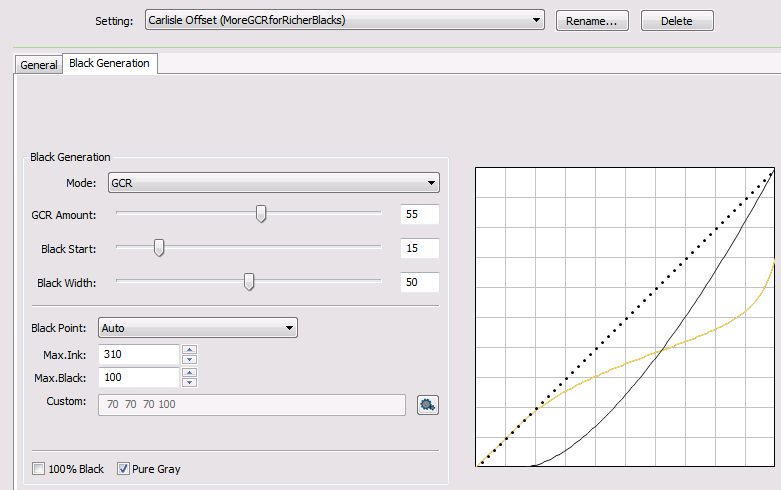

Device Link Profile
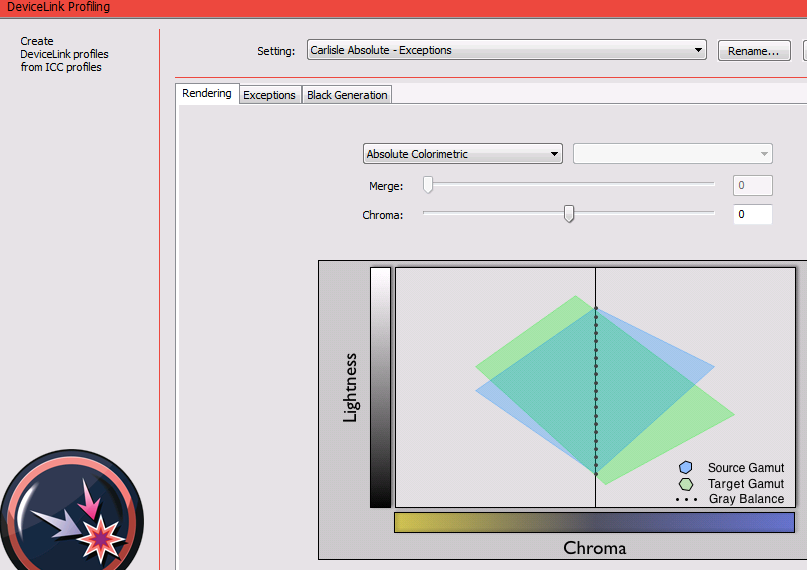
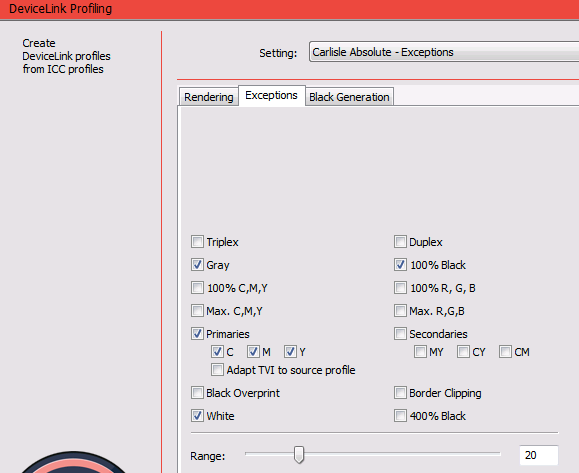
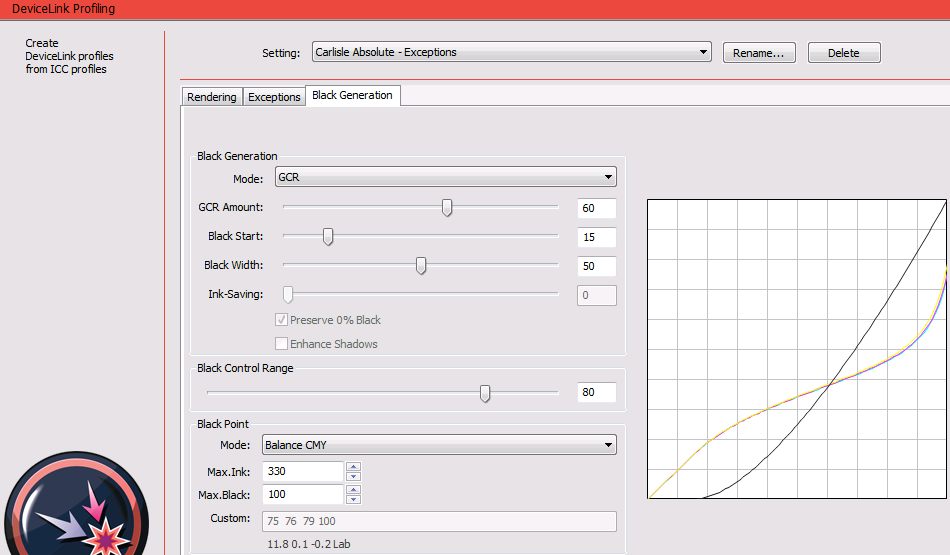
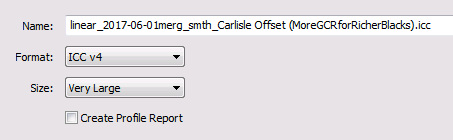
Prinergy Output Process Template
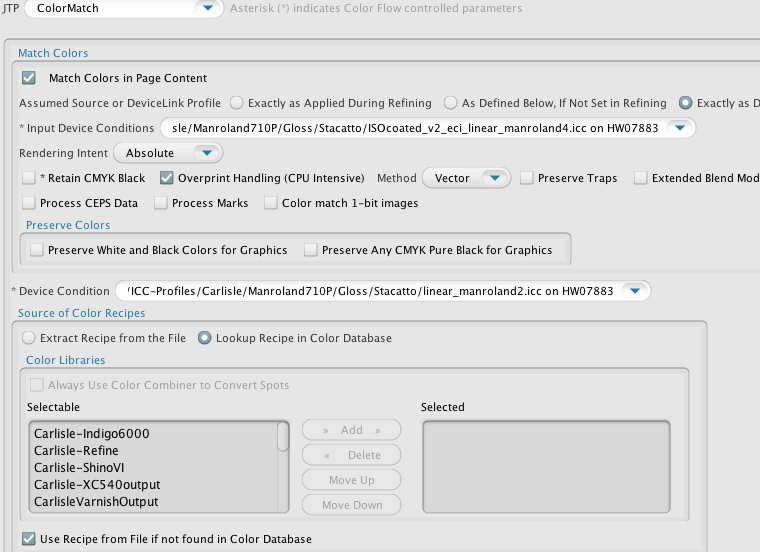
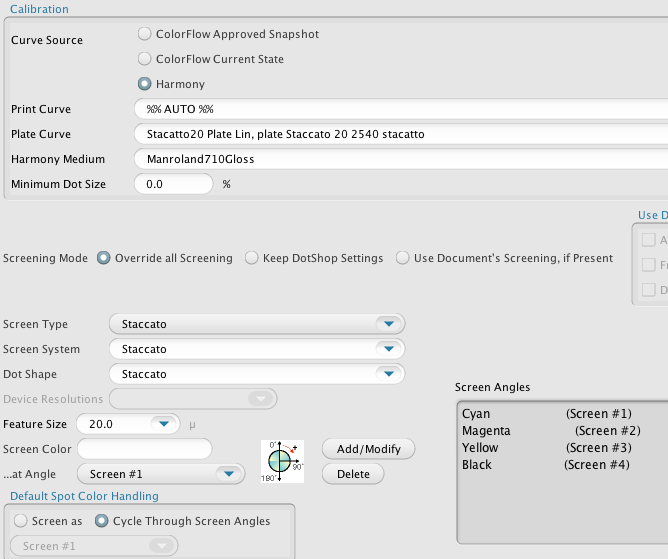
NOTES
Disable the 'Preserve any CMYK pure black for graphics' in the Prinergy output template because this was causing boxes around logos with transparency place over top of K only vector backgrounds.The Device Condition profile is not a device link profile and it appears to only be used to convert spot colors and grayscale or non-CMYK color spaces to CMYK. RGB is converted at refine, but grayscale and spot colors can exist in refined pages in Prinergy if not removed in refining.
No GCR on press with totally built images was giving too much ink on press and it was not drying well.
GCR is less trouble than the black purity settings. Some issues that appear to be GCR related are really problems with gray exceptions.
I have been using the AUTO setting for profile size because that will basically make a profile based on your number of patches so I think there is less interpolation in the profile. You may still have interpolation at the CMM but then at least it is only happening in one place and not twice.